


Blinq: Digital Business Card
4.81.37K Reviews
App Specs
- Version
- 1.94.0
- Updated On
- License
- Free
- Downloads
- 1,000,000+
- Developer
- Blinq Technologies
- Categories
- Business
- Platform
- Android, iOS
Screenshots
 Analysis by AppCompare
Have you ever been caught in one of those awkward moments where you're fumbling through your wallet trying to find a business card, only to realize you're out of them? Well, say goodbye to those days with Blinq: Digital Business Card. I recently gave it a spin, and let's just say it's like having a Swiss army knife for networking.
First Impressions
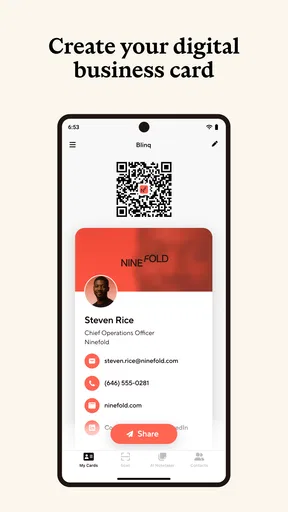
Right off the bat, the app's sleek design caught my eye. It's got a straightforward interface that even my tech-averse aunt could navigate. Setting up my profile was a breeze. I just had to enter my details, add a snazzy picture, and voilà—I had my digital business card ready to go.
Diving Into the Features
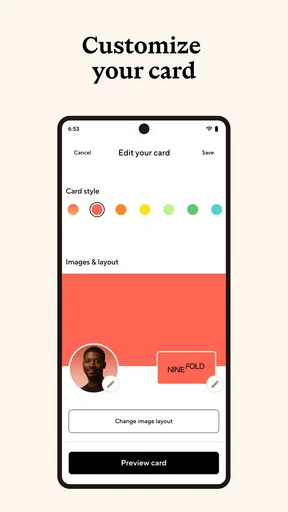
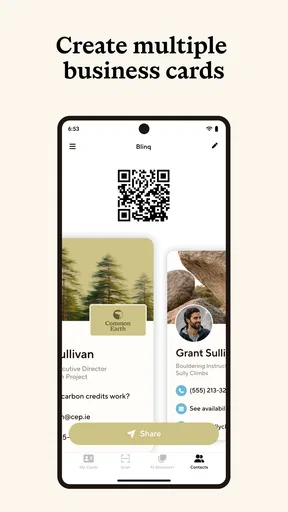
One feature that stood out was the ability to customize cards for different occasions. Whether I was meeting a potential client or just mingling at a casual event, I could whip up a card that fit the vibe. Plus, you can include all sorts of info—from your LinkedIn profile to your latest TikTok video.
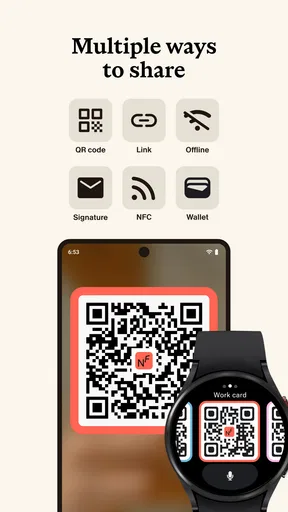
Sharing your card is as easy as pie. You can send it via email, text, or even as a QR code. My personal favorite is the NFC feature, which lets you just tap phones with someone to share your details. It’s like magic, but real!
Keeping It Professional
Now, if you're worried about coming off as too techy or impersonal, don't be. Blinq: Digital Business Card lets you add a personal touch. I love that you can include a short message or tagline with each card. It’s like leaving a little digital handshake.
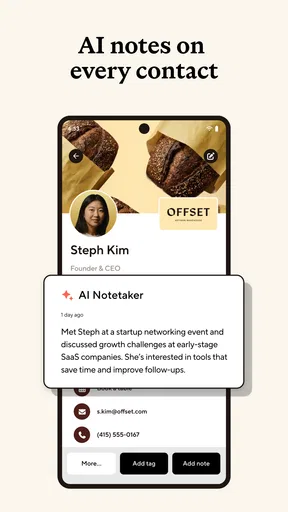
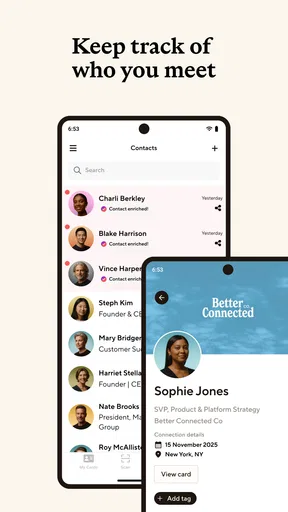
The app also offers analytics, so you can see who’s viewed your card and when. It’s a neat way to track your networking efforts and stay in the loop about who's interested in connecting with you.
Why Go Digital?
Aside from the obvious eco-friendly benefits of ditching paper, having a digital business card just makes sense in today’s world. With Blinq: Digital Business Card, you’re always prepared—no more last-minute scrambles to the printer or worries about typos on your cards.
Worth Reading Before You Choose

Flipboard Shows What News Apps Must Do Beyond the Feed

Switching to Android Auto Means Rethinking Your Driving Routine

Google Calendar Makes a Crowded Week Easier to Manage

Ludo King Makes the Most of the Minutes Between Plans

Baby Panda World Brings Quick Play to Modern Phones, but Its Game Library Feels Busy

ESPN’s Live Game View Makes Following Close Games Easier
Plus, it’s a great conversation starter. People are often intrigued when I share my card digitally, and it naturally leads into discussions about tech and innovation. It's like being part of a cool club that’s ahead of the curve.
Final Thoughts
So, would I recommend Blinq: Digital Business Card? Absolutely. It’s a game-changer for anyone looking to streamline their networking process and make a memorable impression. In a world where first impressions are everything, having a tool like this in your arsenal is invaluable.
Whether you’re a seasoned professional or just starting out, this app is worth a download. Trust me, once you go digital, you’ll wonder how you ever lived without it. Now, go ahead and give it a try. Your future connections will thank you!
Pros
- Easy sharing via QR and NFC.
- Customizable design options.
- Integrates with CRM systems.
- Environmentally friendly alternative.
- Instant updates for contact info.
Cons
- Limited offline functionality.
- May require premium for advanced features.
- Initial setup can be time-consuming.
- Not all devices support NFC.
- Privacy concerns with data sharing.
FAQs for Blinq: Digital Business Card
What is Blinq and how does it work?
Blinq is a digital business card app that allows users to create, share, and manage their contact information effortlessly. You can customize your card with personal details, social media links, and a profile picture. Once created, share your card via QR code, email, or text, making networking more efficient and eco-friendly.
Is Blinq available for both Android and iOS?
Yes, Blinq is available for download on both Android and iOS platforms. You can find it on the Google Play Store for Android devices and the Apple App Store for iOS devices. This cross-platform availability ensures you can connect and share your digital business card with a wide range of users.
Does Blinq require an internet connection to function?
Blinq requires an internet connection for initial setup, customization, and sharing via email or social media. However, once your digital card is created, you can share it offline using the QR code feature. This flexibility is particularly useful for events or locations where internet access may be limited.
Is my personal information secure with Blinq?
Blinq takes user privacy and data security seriously. The app employs encryption protocols to protect your information. You have control over what information you share and with whom, ensuring that your personal details remain secure. Always review the app’s privacy policy for detailed security measures.
Are there any costs associated with using Blinq?
Blinq offers a free version with basic features, suitable for most users. However, there is also a premium subscription available which provides additional customization options and analytics. The premium version is ideal for professionals seeking more advanced features for networking and brand building.


